iOS 27.2: New Features in Six iPhone Apps and How to Update
iOS 27.2 adds new features to six iPhone apps - Messages, TV, FaceTime, Home, Podcasts and Games - while the 27.2.1 patch closes security holes. Here is what changed and how to update today.
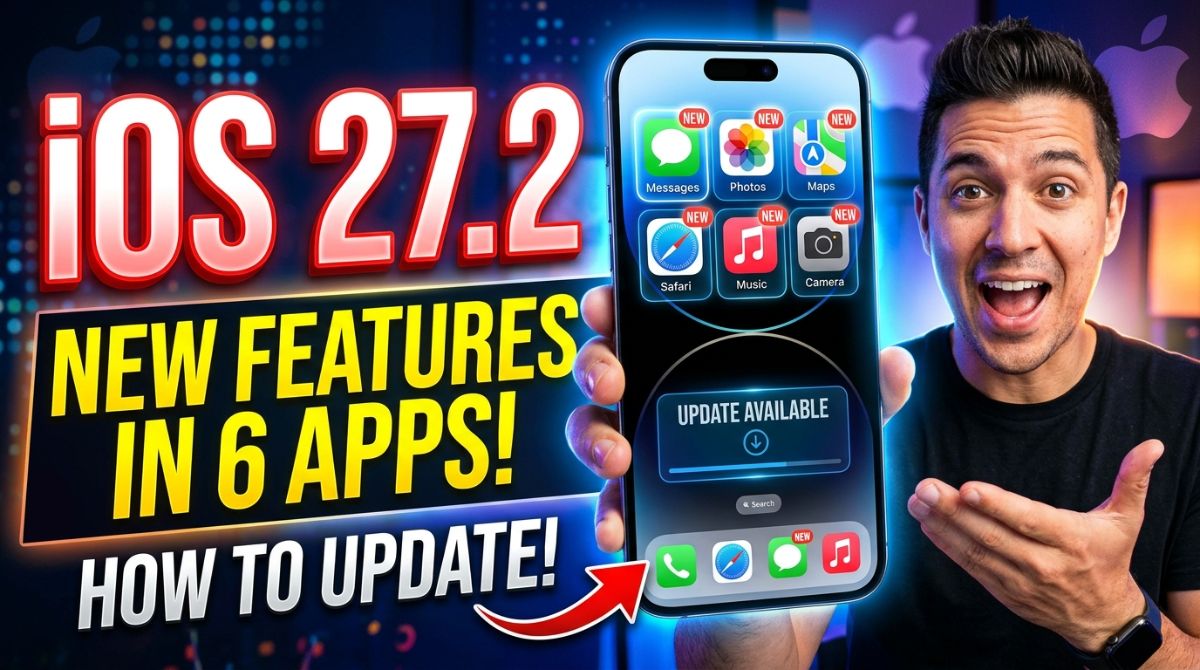
Quick Answer: iOS 27.2, released October 26, 2026, adds new features to six built-in iPhone apps — Messages, Apple TV, FaceTime, Home, Apple Podcasts and Games — while the follow-up iOS 27.2.1 (November 9, 2026) patches security holes in Messages, AirPlay and Bluetooth. To install either one, go to Settings > General > Software Update.
By the TechGamer App Review Team · Published November 14, 2026
Apple shipped two updates in two weeks, and they do very different jobs. iOS 27.2 is the first major iOS 27 feature update, and it concentrates almost all of its new functionality inside six Apple apps. iOS 27.2.1, which arrived on November 9, adds no features at all — it closes security vulnerabilities that are now publicly documented, which makes it the update you should not sit on.
This guide walks through exactly what changed in each of the six apps, how to install both updates today, and what the 27.2.1 security notes mean for your device, so you can decide whether to install just the patch or both.
What's New in iOS 27.2: The Six App Changes at a Glance
According to 9to5Mac's November 10, 2026 rundown, iOS 27.2 delivers improvements across six apps: Messages, Apple TV, FaceTime, Home, Apple Podcasts and Games. The table below maps each app to its headline change.
| App | New in iOS 27.2 | Who benefits most |
|---|---|---|
| Messages | Suggested Actions appear under messages, offering to create calendar events, reminders or notes from context | Anyone who plans things inside chats |
| Apple TV | Profiles come to the iPhone and iPad TV app, with a profile selection screen on launch | Families sharing one iPhone or account |
| FaceTime | Dual Capture (front and rear cameras at once) now works in Group FaceTime calls | iPhone 17 and newer users on group calls |
| Home | "Lock After Closing" automation and "Door Left Open" alerts for compatible smart locks | Smart lock owners |
| Apple Podcasts | Up Next queue splits into New Episodes and Continue Playing | Podcast listeners with a long backlog |
| Games | Home tab shows unplayed downloaded games; clearer achievement and leaderboard tracking; richer friend pages | Apple Games app users |
Messages: Suggested Actions Finally Ships
Suggested Actions was one of the standout Messages features tested in the iOS 27 beta this summer, but it did not make the public release. iOS 27.2 brings it back, and per 9to5Mac it works like this: when a conversation contains something actionable, iOS surfaces suggestions underneath the message — creating a calendar event, setting a reminder, or adding details to a note.
If the suggestions feel noisy, there is a setting to fine-tune which types of suggestions you see, so you can keep the useful ones and switch off the rest.
Apple TV: Profiles Arrive on iPhone and iPad
The Apple TV app on tvOS has offered profiles for a long time, but the iPhone and iPad versions did not. With iOS 27.2 and iPadOS 27.2, launching the TV app now opens a profile selection screen that keeps each person's viewing history and recommendations separate.
You can disable the selection screen if you are the only user. If you share your iPhone with kids, though, this is the change that stops a child's cartoons from hijacking your Up Next row.
FaceTime: Dual Capture Comes to Group Calls
Dual Capture, introduced with iOS 27, keeps the front and rear cameras streaming at the same time during a FaceTime call — useful when you want to show both your face and what you are looking at. The catch was that it only worked in one-on-one calls.
iOS 27.2 removes that limit: Dual Capture now works in Group FaceTime calls too. On iPhone 17 and newer models it is on by default — just tap the flip camera button as usual and both feeds stream simultaneously.
Home: Smarter Smart-Lock Automations
Timed with Apple's new Home hardware push, iOS 27.2 adds two Home app features for compatible smart locks.
- Lock After Closing — an automation setting that locks a door a set time after it is closed. Previously the timer could only count from when the door was unlocked, which did not help if you walked out and left the door ajar.
- Door Left Open — a companion alert that notifies you automatically if a door has been open for longer than a period you configure.
Both settings require a compatible lock, so check your lock's HomeKit or Matter support before expecting the options to appear.
Apple Podcasts: The Up Next Queue Split
Podcasts gets what many listeners will consider the most practical fix of the update. The Up Next queue on the Home tab is now divided into two queues: New Episodes, holding only the latest episodes from shows you follow, and Continue Playing, which gathers every episode you started but never finished.
That separation matters because half-started episodes previously pushed newer episodes further down the same queue. Now a long backlog no longer buries fresh releases.
Games App: Smaller Tweaks
The Apple Games app receives the smallest changes of the six. The Home tab now surfaces recently downloaded games you have not yet played, rather than only showing games with existing play activity. Per Apple's support documentation, achievement progress and leaderboard scores in the Home tab have also been reworked to be easier to track, and the Friends tab now explains friend suggestions and shows recently played games on friends' player pages.
iOS 27.2.1: The Security Fixes You Should Check Against Your Device
Apple released iOS 27.2.1 on November 9, 2026, two weeks after iOS 27.2, alongside iPadOS 27.2.1 and macOS 27.2.1. Apple's release notes say only that the update "provides bug fixes and security updates," but MacRumors' review of the security content details what actually changed.
| Area | Vulnerability fixed in 27.2.1 | What it could have allowed |
|---|---|---|
| Messages / iMessage | A bug allowing a remote attacker to join an iMessage group conversation | Receiving a group's messages without being invited |
| Messages / iMessage | A bug affecting users added to a group | Viewing messages sent before they joined |
| Bluetooth | Pairing without user interaction; a separate memory-corruption bug | A malicious nearby device pairing silently or corrupting process memory |
| AirPlay | Multiple bugs bypassing the rate limit on AirPlay pairing-code attempts | Attackers brute-forcing pairing codes |
| System | Authorization weakness in apps | Potential access to sensitive user information without permission |
MacRumors notes that Apple credited itself on four of the vulnerabilities, meaning they were found internally. Apple has not said any of the flaws were exploited in the wild — but the details are now public, which raises the risk for devices left on older software. The macOS 27.2.1 release additionally addressed the eMudhra certificate vulnerability with protections for command-line tools.
If you cannot move to 27.2.1 right away, note that Apple also shipped iOS 26.7.3 for older devices, which per MacRumors community discussion addresses the two iMessage bugs listed above.
How to Update Your iPhone to iOS 27.2 or 27.2.1
Both updates install the same way, over the air:
- Open Settings.
- Tap General > Software Update.
- Wait for the update to appear, then tap Download and Install.
- Enter your passcode if asked and keep the phone on Wi-Fi and power until it finishes.
Because 27.2.1 supersedes 27.2, most iPhone users will simply be offered 27.2.1 directly — installing it gets you both the six app features and the security fixes in one step. The update also rolled out to iPad as iPadOS 27.2.1 with similar fixes.
| Update | Released | What it delivers | Install it? |
|---|---|---|---|
| iOS 27.2 | October 26, 2026 | Features in six apps, Siri AI improvements, expanded language support, bug fixes | Yes — included in 27.2.1 |
| iOS 27.2.1 | November 9, 2026 | Security fixes for Messages, Bluetooth, AirPlay and system components, plus bug fixes | Yes, as soon as possible |
| iOS 27.3 | In beta (developer beta 1 on November 3, 2026) | Redesigned Health app, more Siri AI languages and actions | Wait for the public release |
Do You Need Both Updates?
For most readers the decision is simple: install iOS 27.2.1, because it contains everything from 27.2 plus the security patches. The only reason to hesitate on any update is disk space or a pre-release-testing setup, and neither applies to the general iPhone population.
| Your situation | Best move | Why |
|---|---|---|
| Everyday iPhone user | Install 27.2.1 now | Gets all six app features plus the security fixes in one install |
| Share an iPhone with family | Install 27.2.1 now | The iMessage group-chat bugs and the new TV app profiles both matter here |
| Smart lock owner | Install 27.2.1, then check lock compatibility | Lock After Closing and Door Left Open require compatible hardware |
| Still on iOS 26.7.x hardware | Install iOS 26.7.3 | Per MacRumors community discussion, it carries the same iMessage fixes |
Siri AI in iOS 27.2: What Changed
Beyond the six apps, iOS 27.2 expanded Siri AI's capabilities. Per Macworld's iOS 27 guide, version 27.2 lets Siri recall information from previous conversations, draw on Messages photo attachments, Calendar attendees and voicemails for better answers, and improve results from Safari history and Reading List. There is also a new Excluded Apps control that decides which apps Siri, Search and suggestions can access, and you can now select and copy individual portions of Siri's responses.
Hardware-wise, Macworld reports that iOS 27 supports the iPhone 11 and later plus the iPhone SE (2nd generation) and later, though some Apple Intelligence and Siri features need newer hardware.
What's Coming After 27.2.1
Apple is already testing iOS 27.3. Per Macworld, the first developer beta arrived November 3, 2026, with a public beta on November 5. Tested changes include a redesigned Health app, Live Rewind and Siri Recap on Apple Watch, more Siri AI languages — Traditional Chinese, Norwegian, Turkish and Vietnamese — expanded Siri actions in Apple's apps, and initial Apple Intelligence features in China. A developer preview will also let third-party apps connect their content and actions to Siri AI, though Apple says App Store submissions using those capabilities open in spring, so updating to 27.3 alone will not switch them on in existing apps.
Frequently Asked Questions
What are the six apps that got new features in iOS 27.2?
Messages, Apple TV, FaceTime, Home, Apple Podcasts and Games, per 9to5Mac's November 10, 2026 breakdown of the update.
How do I install iOS 27.2.1?
Go to Settings > General > Software Update, wait for iOS 27.2.1 to appear, then tap Download and Install. Keep the phone on Wi-Fi and power until the install completes.
Do I need to install iOS 27.2 first before 27.2.1?
No. iOS 27.2.1 supersedes 27.2, so your iPhone will be offered 27.2.1 directly, and installing it gets you the six app features plus the security fixes in one step.
Is iOS 27.2.1 a security update I should rush to install?
Yes. It fixes publicly documented vulnerabilities in iMessage group chats, Bluetooth pairing and AirPlay pairing-code limits. Apple has not confirmed any were exploited in the wild, but the details are public, so unpatched devices face more risk.
Does iOS 27.2 work on my iPhone?
Per Macworld, iOS 27 supports the iPhone 11 and later plus the iPhone SE (2nd generation) and later. Some Apple Intelligence and Siri features require newer hardware, and Dual Capture in FaceTime defaults on for iPhone 17 and newer.
Does iOS 27.2.1 also come for iPad and Mac?
Yes. Apple released iPadOS 27.2.1 and macOS 27.2.1 at the same time on November 9, 2026, with similar security fixes; the macOS update also addressed the eMudhra certificate vulnerability.
What is coming in iOS 27.3?
iOS 27.3 is in beta as of early November 2026. Tested changes include a redesigned Health app, more Siri AI languages (Traditional Chinese, Norwegian, Turkish and Vietnamese), expanded Siri actions, and initial Apple Intelligence features in China.
Disclosure
This article is independent editorial content based on the published sources listed below. It contains no affiliate links and no sponsorship, and the author has no commercial relationship with Apple.
Sources
- 9to5Mac – iOS 27.2 adds new features in six iPhone apps, details here
- MacRumors – Here's What Apple Fixed in iOS 27.2.1 and macOS 27.2.1
- 9to5Mac – Apple releases iOS 27.2.1 for iPhone, here's what's new
- Macworld – iOS 27: What's new, what's in the latest beta and what's coming next
- Forbes – iOS 27.2.1 Urgent iPhone Fixes For Messages, AirPlay And Bluetooth